
The problem with most interactive trade show booth ideas is that they optimize for crowd size rather than lead quality. A spin-to-win wheel, a VR headset experience with no connection to your product, or a branded photo booth with a prop wall draws foot traffic — but the people it draws are optimizing for entertainment, not for evaluating your solution. Your booth staff spends the show day managing a queue of attendees who have no purchase intent and no interest in what you sell.
Interactivity at a trade show booth works when it serves two simultaneous functions: it creates genuine engagement with your product or category, and it acts as a natural filter that draws visitors who are actually relevant to your business. This guide covers interactive trade show booth ideas organized by category — technology, demonstration, activity-based, and design-driven — with a framework for evaluating which ideas fit your booth size, buyer type, and qualification process. For the booth design context that makes any interactive element more effective, see the exhibition booth design overview before finalizing any interactive concept.
Why Do Most Interactive Booth Ideas Attract Crowds But Not Qualified Leads?
The failure mode for most interactive booth concepts is a mismatch between what the activity attracts and what the company actually sells. The interactive element is chosen for its crowd-drawing power — which is real — without a mechanism to filter for buyer intent or connect the activity to the product.
The Entertainment Trap
A VR game at a software company’s booth, a barista making specialty coffee at an industrial equipment exhibit, or a professional caricature artist at a financial services booth all attract crowds. They attract the same crowd: anyone who wants a free coffee, a custom portrait, or a novel experience. The entertainment draws indiscriminately. If the staff process does not qualify the visitor before they receive the entertainment, the badge-scan list at the end of the day is an entertainment audience, not a buyer audience.
The Novelty Decay Problem
Interactive elements that rely on novelty — the first VR experience many attendees have had, the only booth with a specific technology — lose their differentiating power as the technology becomes common. At CES in 2016, a VR headset at a booth was remarkable. At CES today, it is expected and largely ignored unless the content is directly relevant to the product being demonstrated. Novelty-driven interactivity has a short shelf life. Interactivity that is directly connected to the product or service being sold does not depend on novelty — it gets more effective as visitors engage with it more deeply.
The Qualification Gap
The most common structural error is placing the interactive element at the front of the booth — in the aisle approach zone — where it draws visitors in before any qualification conversation has occurred. A visitor who has already started the VR experience, begun the activity, or received the entertainment is difficult to redirect to a qualification conversation. The interactive element should be positioned inside the booth space, past the initial staff greeting point, so that a brief qualification exchange happens before the visitor accesses the interactive element — not after.
What Technology-Based Interactive Elements Work Best at a Trade Show Booth?
Technology-based interactive elements are the most commonly discussed category of interactive trade show booth ideas — and the most commonly misapplied. The technology should serve the product story, not replace it.
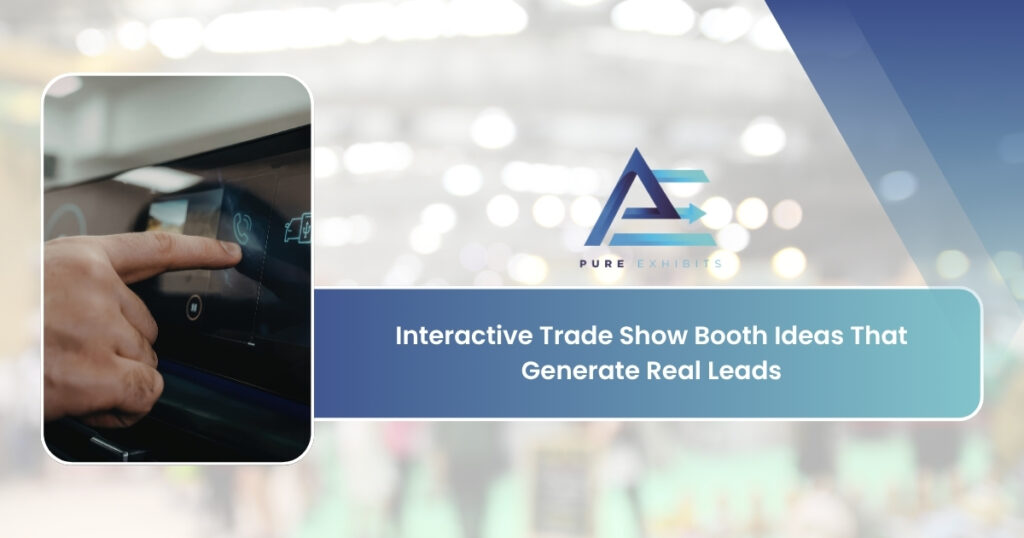
Touchscreen Product Configurators
A large-format touchscreen (55-inch or larger) running a product configurator — where visitors select options, specifications, or use cases and see the configured product rendered in real time — is one of the highest-performing interactive elements for complex B2B products. It works because the interaction is directly about the product, it surfaces the visitor’s specific requirements through their configuration choices (which the booth staff observes and uses to initiate a targeted conversation), and it gives the visitor a sense of ownership over the experience. The configurator data — which options are selected most frequently, which configurations are built most often — also serves as real-time product feedback.
Live Software Demonstrations on Large Screens
For software companies, a live product demonstration on a large external monitor — driven by a staff member who narrates the interaction and invites the visitor to drive the demo at key moments — consistently outperforms pre-recorded video loops, automated kiosk demos, and passive product overview presentations. The live element creates unpredictability that keeps visitors engaged. The narration gives the staff member control over pacing and emphasis. The visitor-driven moments create a sense of personal exploration that passive presentations cannot generate.
Augmented Reality Product Visualization
AR product visualization — using a tablet or a dedicated AR display to show a product in a real-world context that the visitor defines — is particularly effective for physical products that are too large, expensive, or fragile to bring to the show floor. A manufacturing equipment company that cannot bring its machinery to the show can use AR to let visitors place a full-scale rendering of the equipment in a virtual representation of their facility. The visualization is interactive (the visitor controls placement and orientation), product-specific (it shows the actual product, not a generic experience), and naturally generates a conversation about the visitor’s facility, requirements, and purchase timeline.
Interactive Data Visualization Walls
For companies whose product generates or analyzes data — analytics platforms, IoT systems, environmental sensors, financial technology — a large-format LED display showing live data visualization relevant to the visitor’s industry is a high-impact interactive element. The visitor can interact with the display to filter by their industry, company size, or use case, and the data shifts to reflect their context. This works because it demonstrates the product’s analytical capability in real time, using data that is directly relevant to the visitor, rather than in a canned demo environment.
How Do Product Demonstrations Create More Engagement Than Passive Displays?
A product demonstration is the most effective interactive element available to any exhibitor — not because it is technology-enabled, but because it places the visitor in direct contact with what the company actually sells. The challenge is designing the demonstration to be interactive rather than presentational.
Hands-On Product Trials
For physical products — tools, equipment, materials, devices — a hands-on trial zone where the visitor can operate the product under light staff guidance is consistently the highest-engagement booth element across B2B categories. A visitor who has physically operated your product for three minutes has a fundamentally different relationship to the purchase decision than one who watched a video of someone else using it. The trial creates a tactile memory that persists after the show in a way that a brochure or a conversation alone cannot.
Visitor-Specific Demo Customization
A demonstration that adapts to the visitor’s stated context — their industry, their current solution, their primary challenge — is more engaging than a standardized product walkthrough because it shows the visitor something relevant to them specifically, rather than a generic overview. This requires a brief qualification exchange before the demo begins: two questions about the visitor’s role and current situation that allow the staff member to select the demo path most relevant to that visitor. A trade show booth staffing program that trains staff to run contextual demos rather than scripted presentations produces significantly higher post-demo engagement and follow-up rates.
Before-and-After Demonstrations
For products that solve a visible, demonstrable problem — surface coatings, cleaning technologies, filtration systems, software that reduces a manual process — a before-and-after demonstration is the simplest and most compelling interactive element available. The visitor observes the problem state, participates in or observes the transformation, and sees the result. No technology required. No complex logistics. The demonstration works because it proves the core claim of the product in a way that the visitor experiences directly rather than accepts on faith.
What Game or Activity-Based Ideas Work for B2B Trade Show Booths?
Game and activity-based interactive elements can work at B2B trade show booths when the game is directly connected to the product category, the prize or reward is structured as a qualification filter rather than an open giveaway, and the activity requires a brief staff conversation before participation. The games that fail are the ones designed purely for participation volume.
Product Knowledge Trivia
A trivia game structured around the problem your product solves — industry statistics, common pain points, benchmark comparisons — attracts visitors who are already engaged with the category and filters out attendees who have no professional context for the questions. A cybersecurity vendor running a quiz about common attack vectors draws security professionals. A logistics software company running a quiz about supply chain cost benchmarks draws logistics managers. The trivia content itself communicates the company’s subject-matter expertise while identifying visitors whose knowledge level signals genuine industry engagement.
Challenge Stations Tied to Product Proof
A challenge station where visitors attempt a task manually — and then observe how the product completes the same task faster, more accurately, or at lower cost — is an interactive demonstration disguised as a game. A software automation company can invite visitors to complete a process manually on one screen while the automated solution runs in parallel on another. A materials company can invite visitors to test competing materials against a strength or durability benchmark. The challenge format creates engagement, introduces a competitive element, and proves the core product claim through direct observation rather than assertion.
Assessment Tools and Benchmarking Surveys
An interactive assessment — a short structured questionnaire that produces a personalized result for the visitor — is one of the most effective B2B booth activities because it simultaneously qualifies the visitor and provides them with genuine value. A cybersecurity vendor can offer a two-minute maturity assessment that produces a score and three specific recommendations. A logistics platform can offer a cost benchmark that compares the visitor’s current process cost against industry averages. The assessment result is emailed to the visitor after the show — which gives the sales team a warm, permission-based follow-up touchpoint and a specific conversation starter tied to the visitor’s individual result. For exhibitors at las vegas trade show booth rentals events like HIMSS, SEMA, or NAB Show — where attendee expertise levels are high — assessments position the exhibitor as a knowledgeable peer rather than a vendor trying to generate leads.
How Do You Design the Physical Space to Support Interactive Elements?
An interactive element that is dropped into a standard booth layout without a design plan for how visitors will access it, move through it, and transition from it to a staff conversation produces crowd management problems rather than lead generation. The physical design of the booth — traffic flow, sight lines, staff positioning, and interactive element placement — determines whether the interaction generates pipeline or congestion. The trade show booth builder team at Pure Exhibits integrates interactive element requirements into the booth design from the beginning of the process, not as an afterthought when the structural layout is already determined.
Positioning Interactive Elements Inside the Booth
An interactive element positioned at the booth perimeter — flush with the aisle — draws visitors in without requiring them to enter the booth space. This produces a crowd at the aisle edge that blocks neighboring exhibitors, is impossible for your staff to qualify, and is visible to show floor management as an aisle obstruction. Position the primary interactive element at least six feet inside the booth footprint, past the natural staff greeting position, so that visitors enter the booth and make brief contact with staff before reaching the interactive station.
Creating Distinct Zones
A booth with interactive elements needs at least three distinct zones: an entry zone where staff greet and briefly qualify incoming visitors, an interactive zone where the demonstration or activity occurs, and a conversation zone where staff transition qualified visitors from the interactive element to a structured follow-up discussion. On a 10×20 trade show booth, these three zones are achievable within the footprint with thoughtful layout. On a 10×10 trade show booth, the zones overlap — which requires a more disciplined staff workflow to manage the transition between greeting, interaction, and conversation without crowding the space.
Sight Line Design for Interactive Elements
An interactive element that is visible from the aisle — a large touchscreen running a compelling visualization, a product demonstration in progress, a visible activity — draws passive attention from passing traffic without requiring aisle hawking or active recruitment. The trade show booth graphics and the interactive element should work together visually: the back wall graphic captures attention at distance, the interactive element is visible enough at mid-range to create curiosity, and the staff conversation converts curiosity into a structured engagement. These three elements — back wall, interactive station, staff — form the attention → interest → conversation funnel that turns foot traffic into qualified leads.
What Interactive Ideas Work Best for Small 10×10 or 10×20 Booths?
Smaller booths require interactive elements that are high-impact but space-efficient. An interactive element that requires dedicated floor space — a multi-station challenge, a large AR display, a separate seating area — is a poor fit for a 10×10 where every square foot is allocated. The best interactive elements for small booths are vertically integrated into the booth structure, require no additional floor footprint beyond what the standard layout provides, and are operated by a single staff member without dedicated support.
Counter-Integrated Touchscreen
A touchscreen display integrated into the counter surface — either a mounted tablet or a recessed touchscreen flush with the counter top — allows the counter to serve dual duty as the staff conversation point and the interactive demonstration station. The visitor stands at the counter (natural), interacts with the touchscreen at eye and hand level (ergonomic), and has a direct conversation with the staff member standing behind or beside the counter (proximate). This configuration adds zero incremental floor footprint and works in the smallest booth configurations.
Single-Station Product Demo
A single demo station — one monitor, one device, one staff member — positioned at the back of the booth creates a clear purpose for the visitor’s movement: they walk in, they approach the demo, they see the product in action. For a 10×10 booth, this is the most space-efficient interactive configuration available. The limitation is throughput — a single-station demo handles one visitor at a time, which limits the number of qualified interactions per hour. Staff should manage queue depth by qualifying at the booth entry rather than at the demo station.
Assessment Kiosk on a Tablet Stand
A tablet on a branded stand — positioned beside the counter rather than requiring dedicated floor space — running a short interactive assessment or configurator is a zero-footprint interactive element that works in a 10×10 trade show booth with no layout modification. The visitor uses the tablet while standing at the counter. The staff member guides the interaction from behind the counter and transitions to a conversation based on the visitor’s responses. The assessment results, emailed post-show, create a follow-up touchpoint without requiring the visitor to fill out a separate lead form. For 20×20 trade show booth rental island configurations, multiple assessment stations can be deployed simultaneously, supporting several concurrent interactions without staff bottleneck.
How Do You Measure Whether an Interactive Element Is Actually Working?
An interactive element that draws crowds but does not generate qualified pipeline is a cost center, not a lead generation tool. Measurement needs to distinguish between engagement volume (how many people interacted) and engagement quality (how many of those people were qualified prospects who moved to a next step).
| Metric | What It Reveals | How to Track | Action If Low |
|---|---|---|---|
| Interactions per hour | Whether the element draws sufficient traffic | Staff tally counter or kiosk session logs | Reposition element, add staff to draw visitors in |
| Interaction-to-qualification rate | What percentage of interactive visitors are qualified prospects | Staff qualification form vs. interaction count | Add qualification gate before interactive access |
| Qualification-to-next-step rate | What percentage of qualified visitors commit to a follow-up | Lead disposition codes in CRM | Improve staff transition from interactive to conversation |
| Post-show follow-up response rate | Whether interactive element created lasting recall | Email open and reply rates, 48-hour follow-up | Personalize follow-up to specific interaction content |
| Interactive vs. non-interactive lead quality | Whether interactive visitors close at higher rates | CRM lead source tagging and 90-day pipeline review | If no difference, reconsider the element concept |
The most informative single measurement is the interaction-to-qualification rate. If 200 visitors interact with your booth element in a day and only 15 of them are qualified prospects, the element is drawing the wrong audience — regardless of how impressive the crowd looks from the aisle. A good interactive element for a B2B booth should produce a qualification rate of 20 to 40 percent of all interactions, meaning one in three to one in five visitors who engages is a genuine prospect.
What Mistakes Do Exhibitors Make When Adding Interactivity to Their Booth?
These are the specific errors that produce interactive booths that look impressive on the show floor and produce disappointing lead results in the post-show debrief.
-
Choosing the interactive element before defining the buyer profile. The element should be selected based on what your specific buyer finds genuinely useful or engaging — not based on what generated buzz at someone else’s booth. A machine learning model visualization impresses data scientists. It confuses procurement managers. Choose the element for your buyer, not for general trade show appeal.
-
No staff protocol for transitioning from the interactive element to a qualification conversation. The interaction creates engagement. The staff conversation converts engagement into a lead. If staff members do not have a specific, trained transition — ‘Based on what you configured, it sounds like [specific challenge] is the main issue — is that fair to say?’ — the interactive element creates a pleasant experience that produces no pipeline.
-
Deploying technology that depends on convention hall internet. A demo that streams data from a cloud server, an AR experience that requires real-time rendering from an external host, or a configurator that pulls live product data from a remote API will fail when the convention hall’s internet connection degrades during peak floor hours. All interactive technology should be capable of running offline from a local device. This is non-negotiable at Las Vegas shows where cellular and Wi-Fi congestion during peak hours is predictable.
-
Running the same interactive element at every show without evaluating its performance. An interactive element should be assessed after each show — interaction volume, qualification rate, staff effort to manage it, and total logistics cost of transporting and setting it up. Elements that score poorly on qualification rate should be redesigned or replaced before the next show, not carried forward because the setup is already figured out.
For the giveaway component that often accompanies interactive booth elements — prizes for challenge station winners, rewards for assessment completion, or premium items for qualified visitors — the full strategy for structuring giveaways as qualification tools rather than audience-building mechanisms is covered in the trade show booth giveaway ideas guide.
Conclusion
Interactive trade show booth ideas generate qualified leads when the interactivity is directly connected to the product, the activity is positioned inside the booth space past a staff qualification point, the physical layout creates a natural flow from entry to interaction to conversation, and the staff is trained to make the transition from the interactive element to a structured next-step discussion. The interactive element is not the lead generation mechanism — the staff conversation is. The element creates the engagement that makes that conversation possible.
Evaluate any interactive element against one question before investing: does this draw my specific buyer and give my staff a natural opening for a qualification conversation? If the honest answer is no — if the element draws everyone or gives staff no conversational bridge to the product — it is an entertainment expense rather than a marketing investment.
Let’s Build Something Extraordinary
Share your event details and we’ll craft a custom booth solution designed to captivate your audience and maximize your ROI.
Frequently Asked Questions
What are the best interactive trade show booth ideas for B2B exhibitors?
The highest-performing interactive elements for B2B trade show booths are directly connected to the product or service being sold: hands-on product trials for physical products, live software demonstrations with visitor-driven moments for software companies, touchscreen product configurators for complex or configurable products, interactive assessments or benchmarking surveys that produce a personalized result for the visitor, and before-and-after demonstrations for products that solve a visible problem. Generic entertainment elements — VR games with no product connection, prize wheels, photo booths — draw foot traffic but rarely produce qualified pipeline in B2B contexts.
How do you make a trade show booth more interactive without a large budget?
The most effective interactive elements do not require significant technology investment. A live product demonstration with visitor-driven moments costs nothing beyond the staff time to run it. A two-minute tablet-based assessment that produces a personalized result requires a simple web form and a tablet stand. A before-and-after demonstration requires only the product itself and a setup that shows the contrast clearly. A product knowledge trivia card game costs under $500 to print and produces natural qualification conversations. The highest-ROI interactive elements are concept-driven rather than technology-driven — what the visitor does and what they learn matters more than the hardware they interact with.
Should I use VR or AR at my trade show booth?
Only if the VR or AR experience directly demonstrates your product or shows something about your product that cannot be shown any other way — for example, AR visualization of a product that is too large to bring to the show floor, or a VR simulation of an environment your product operates in. A VR or AR experience that is not directly connected to your product will attract visitors who want a novel experience, not buyers who want to evaluate your solution. The technology also requires dedicated setup space, staff time to manage the equipment and headset hygiene, reliable power, and offline operation capability. Evaluate whether those logistics are justified by the product connection benefit before committing to the investment.
Where should I position the interactive element in my booth?
At least six feet inside the booth footprint — past the natural staff greeting position at the booth entry. An interactive element positioned at the aisle edge draws visitors before any qualification exchange can occur and creates an aisle crowd that neighboring exhibitors and show management may object to. Position the interactive station at the back half of the booth, visible from the aisle but accessible only by entering the booth space. This creates a natural flow: visitor sees the element from the aisle, enters the booth, is greeted and briefly qualified by staff, then proceeds to the interactive station if they are a relevant prospect.
How do I transition visitors from the interactive element to a sales conversation?
Train staff to use the interactive experience as the opening of the qualification conversation, not the conclusion of the visitor interaction. Immediately after the visitor completes the demo, assessment, or activity, the staff member references something specific from the experience: ‘You configured the system for high-throughput processing — is that a current bottleneck in your operation?’ or ‘Your assessment score in the network visibility category was lower than your peers — is that a known gap you’re working on?’ The specific reference signals that the staff member was paying attention, creates a natural segue to the visitor’s actual situation, and positions the follow-up as relevant rather than generic.
What interactive elements work best for a 10×10 trade show booth?
Space-efficient interactive elements that require no additional floor footprint: a counter-integrated touchscreen or tablet running a product configurator or assessment, a single demo station at the back wall operated by one staff member, a product sample or prototype at the counter that visitors can handle directly, or a printed interactive card — a decision tree, a quiz, or a calculator — that the visitor completes while standing at the counter. Avoid interactive elements that require dedicated floor space, multiple simultaneous users, or a queue management approach — these are impractical at the 100-square-foot scale and create crowd management problems rather than lead generation opportunities.
What is the best interactive idea for a technology company at a trade show?
A live software demonstration with visitor-driven moments — where the visitor controls the demo at specific points and the staff member narrates and responds to the visitor’s choices — consistently outperforms all other interactive elements for software companies. The live element creates genuine unpredictability that keeps visitors engaged. The visitor-driven moments create a sense of personal exploration. The narration gives the staff member control over pacing, emphasis, and the transition to a qualification conversation. A well-run live demo takes 8 to 12 minutes and produces a higher-quality lead than any passive presentation or automated kiosk demo.
How does an interactive booth element help with lead qualification?
An interactive element connected to your product naturally surfaces qualification information through the visitor’s choices and questions. A visitor who configures your product for enterprise-scale use cases, asks detailed integration questions during a software demo, or scores poorly on a maturity assessment in a category your product addresses is signaling purchase intent and organizational fit through their interaction — not through a direct question that might feel intrusive. The staff member observes the interaction, identifies the qualification signals, and opens the follow-up conversation with a specific reference to what the visitor revealed. The interaction does the qualification work; the staff conversation confirms and advances it.
Can I run an interactive demo without reliable convention hall internet?
Yes — and you should plan to. Convention hall internet, including dedicated wired circuits, can degrade during peak show floor hours when hundreds of exhibitors are simultaneously running cloud-based demos, streaming video, and managing live data feeds. Any interactive element that depends on an active internet connection should have a fully functional offline mode: a locally cached version of the demo, an offline version of the configurator, or a downloaded dataset for the data visualization. Test the offline mode before the show. Identify which specific features require internet and which work locally. Plan the demo flow around the offline-capable elements as the primary path, with internet-dependent features as enhancements rather than requirements.
What is the most cost-effective interactive booth element?
A hands-on product trial — if your product is physical and small enough to bring to the show — is the most cost-effective interactive element available. The product itself is the interactive element. No technology required, no logistics beyond transporting the product, no dedicated setup beyond a counter or table where visitors can handle it safely. For software or service companies without a physical product, a live demonstration driven by a prepared staff member is the most cost-effective option. Both produce higher visitor engagement than passive displays and both give staff natural conversation openings — at zero incremental technology cost.
How many interactive elements should I have at one booth?
One primary interactive element per booth, with a secondary passive element as a fallback. A booth with three simultaneous interactive stations creates staff management complexity, divides visitor attention, and makes it difficult to maintain a consistent qualification process. One well-designed, well-staffed interactive element that every visitor at the booth experiences creates a consistent narrative and a predictable staff workflow. At a 20×20 island configuration with eight to ten staff, two to three simultaneous interactive stations can be managed effectively — but each station should have a dedicated staff member and a defined qualification workflow, not be left for visitors to self-navigate.
How do I make sure the interactive element reinforces my brand rather than distracting from it?
The interactive element should answer one question from the visitor’s perspective: ‘What does this company actually do for companies like mine?’ Every interactive element that does not answer that question — regardless of how engaging it is — is diverting the visitor’s attention from the brand rather than reinforcing it. Test the element by asking someone unfamiliar with the company to interact with it for three minutes and then describe what the company does. If their description is accurate, the element is brand-reinforcing. If their description is vague or wrong, the element is brand-distracting — regardless of how much they enjoyed the experience.