
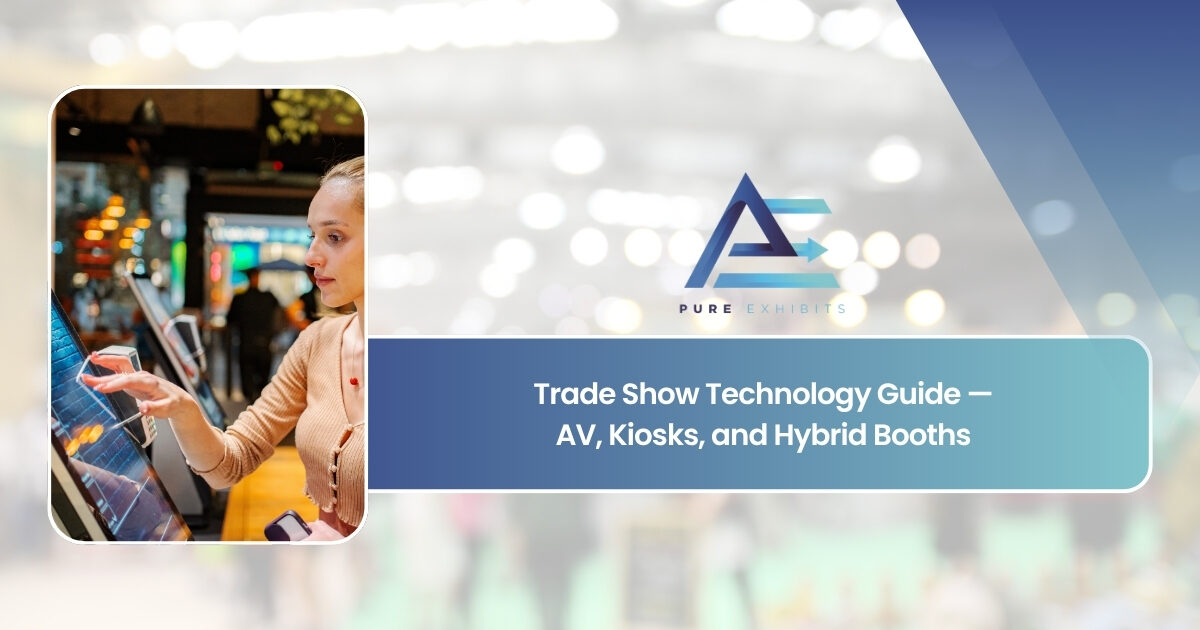
Walk a trade show floor at any major convention center today and the difference between technology-forward booths and those without is immediate. The booths drawing the most foot traffic are not necessarily the largest — they are the most visually dynamic. A wall of bright LED panels in motion pulls attention from 30 feet away. An interactive kiosk invites visitors to self-direct their experience. A hybrid streaming station extends the exhibit’s reach to remote audiences watching in real time. Trade show technology has moved from a premium add-on to a baseline competitive expectation.
But trade show technology planning is not just about adding screens. It is about integrating technology into the exhibit architecture from the design phase so that AV, lighting, interactive elements, and digital content work as a single unified system — not a collection of individual components bolted onto a structure that was not designed for them. Exhibits designed with technology as an afterthought look like technology was an afterthought. Exhibits designed with technology as a structural element look like a brand that took its presence seriously.
This guide covers every major dimension of trade show technology — what AV equipment to consider, how interactive kiosks work in an exhibit context, what a hybrid booth requires, how to budget intelligently, and how to manage technology through move-in and show days. For companies in the design stage, PureExhibits’ trade show booth design services integrate technology planning into the structural design process from the first concept conversation — not as a separate workstream that gets reconciled later.
Why Is Trade Show Technology Now a Baseline Expectation?
The shift in attendee expectations over the past decade has been driven by the cumulative effect of technology-integrated consumer experiences. Visitors who interact with touchscreen displays at airports, digital menus at restaurants, and interactive product configurators online arrive at a trade show expecting the same quality of digital engagement from exhibitors. A static booth with printed banners communicates a level of investment — and a brand energy — that most companies can no longer afford to project.
For sales and marketing teams, trade show technology serves a conversion function beyond aesthetics. A well-placed touchscreen kiosk extends the sales team’s reach — one sales person cannot hold five simultaneous conversations, but five kiosks can simultaneously engage five visitors with product content, demo videos, and lead capture forms. Video walls running product demonstrations communicate product capability to visitors who are waiting to speak with a team member or observing the booth from the aisle. Lighting systems direct attention to specific product displays, create an atmosphere that aligns with the brand, and signal a level of investment that builds credibility with enterprise buyers.
Trade show technology also extends the useful life of exhibit investment. A booth with a fixed graphic message must be reprinted for every show where the content changes. A booth with integrated digital displays changes its message with a content upload — show-specific pricing, regional marketing copy, seasonal promotions, and product launches can all be delivered to the same physical exhibit structure with no fabrication cost. For companies exhibiting at multiple shows per year, this content flexibility provides a compelling operational advantage that more than justifies the technology investment.
PureExhibits designs and builds technology-integrated exhibit rentals with AV, lighting, interactive kiosks, and hybrid streaming built into the booth structure from day one. Request a concept today.
What AV Equipment Belongs in a Modern Trade Show Booth?
AV equipment in a trade show context means any device that produces, displays, or amplifies visual or audio content — screens, projectors, video walls, speakers, microphones, lighting rigs, and the signal processing and media playback hardware that drives them. Each category serves a distinct function in the exhibit, and the best AV plans are built from a clear understanding of what each component will accomplish for visitors and the sales team.
Large-format LED displays and video walls are the highest-impact AV elements available to exhibitors. A 4×4 LED panel array operating at full brightness is visible from 50 feet on a crowded show floor and communicates scale, investment, and brand confidence in a way that no printed graphic can match. LED video walls are increasingly available as rental components — their per-show cost has decreased significantly as panel technology has matured, making them accessible for mid-market exhibitors and not just Fortune 500 brands with unlimited exhibit budgets.
Commercial-grade monitors — 55-inch, 65-inch, and 75-inch displays mounted at counter height, on towers, or integrated into wall panels — serve the content delivery function at closer range. These displays run product videos, customer testimonials, case study presentations, and demo content that supports the sales conversation without requiring a team member to explain every visual element. Sound is a nuanced decision on a trade show floor: ambient sound from a booth competes with the ambient noise of hundreds of other exhibitors and tens of thousands of attendees. Directional speakers focused on specific zones — particularly interactive kiosk stations — can deliver audio without contributing to the general noise pollution of the hall.
Trade Show AV Equipment — Type, Function, and Budget Tier
| AV Component | Primary Function | Booth Size Fit | Budget Tier | Key Spec to Confirm |
|---|---|---|---|---|
| LED video wall (modular panels) | High-visibility brand content, motion graphics | 20×20 and larger | Premium | Pixel pitch, panel resolution, mount structure weight |
| Commercial display monitor (55–75″) | Product demos, sales content, testimonials | Any size (10×10 and up) | Mid-range | Brightness (nits), commercial vs. consumer grade |
| Touch monitor / interactive display | Self-serve content, lead capture, configurators | 10×10 and larger | Mid-range | Touch accuracy, anti-glare coating, bezel style |
| Digital signage player | Content scheduling and looped playback | Any | Low | Operating system, remote management capability |
| Directional / ceiling speaker | Zone audio for kiosk stations and demos | 20×20 and larger | Low–Mid | Frequency response, dispersion angle, show AV rules |
| Professional LED wash lighting | Brand color, product highlight, atmosphere | Any | Included/Low | Color temperature, DMX control, rigging weight |
| Video wall controller / processor | Multi-panel signal management | LED wall installs only | Premium | Input count, resolution output, failover capability |
How Do Interactive Kiosks and Touchscreens Change the Visitor Experience?
Interactive kiosks convert passive observers into active participants — and active participants are more likely to become qualified leads than visitors who watched a video from the aisle. The psychological mechanism is straightforward: when a visitor touches a screen to navigate a product configurator, they have made a choice. That choice signals intent and creates a natural entry point for a sales conversation. The kiosk functions as a pre-qualification engine that identifies visitors with genuine interest and gives the sales team a warm handoff.
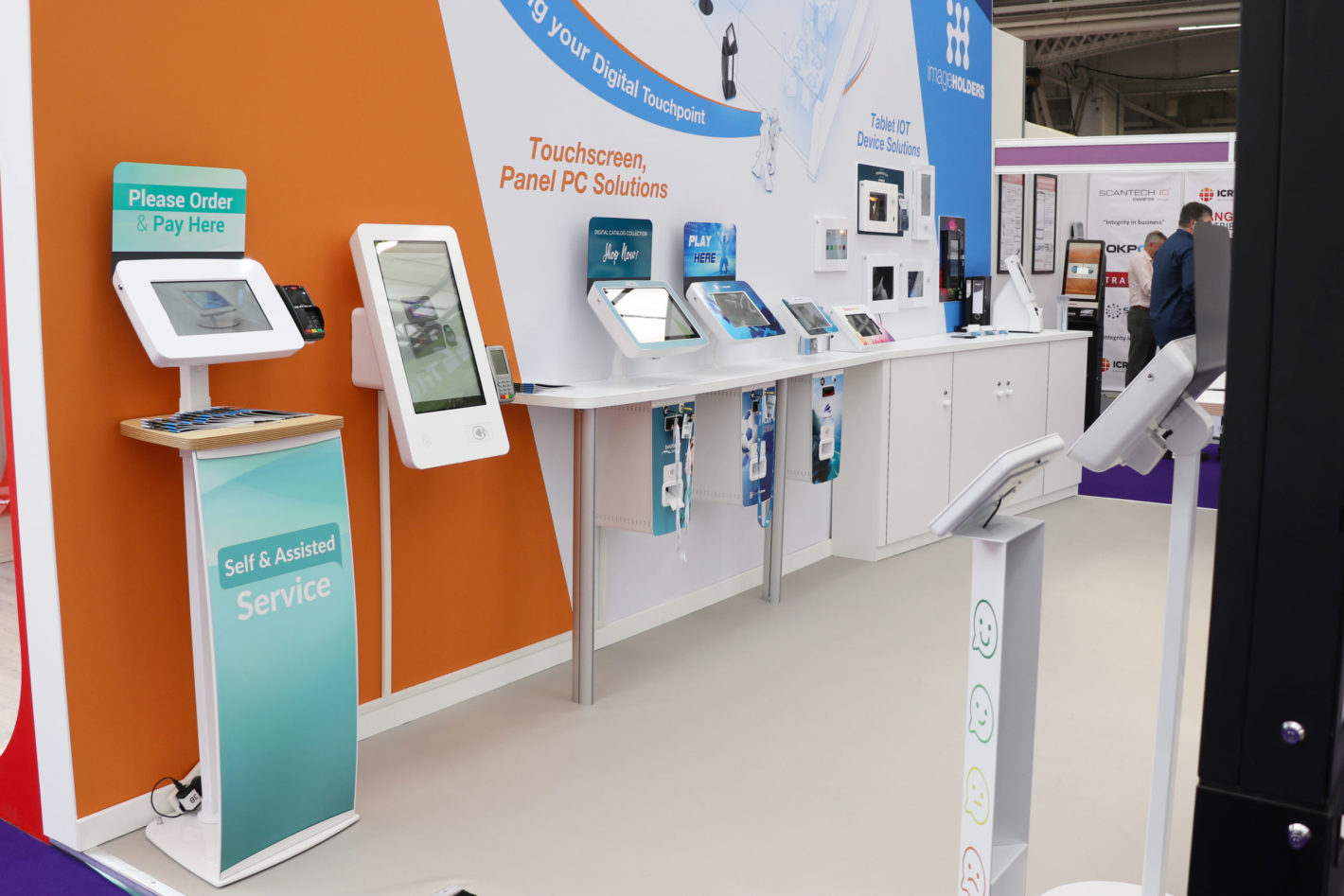
Touchscreen kiosks in a trade show booth serve several distinct use cases that serve different stages of the funnel. At the top of the funnel, a large interactive display showing a dynamic product line overview draws visitors from the aisle and invites exploration without requiring a sales conversation to start. At the middle of the funnel, a product configurator or comparison tool lets visitors build a solution and see the impact of their choices — creating genuine engagement with the product rather than passive consumption of marketing content. At the lead capture stage, a trade show booth with integrated digital lead capture collects information directly from the visitor interaction, bypassing the friction of manual badge scanning or paper forms.
The physical design of a kiosk station within the booth structure matters as much as the software running on it. Kiosks positioned too close to the aisle create a bottleneck that blocks foot traffic. Kiosks too deep inside the booth require a level of visitor commitment that most trade show attendees will not make on a first pass. The ideal placement is at the perimeter of the exhibit, positioned at a comfortable interaction distance with enough open space around the unit to allow two or three visitors to observe simultaneously. Counter-height kiosks work well for extended interaction; standing-height towers work well for quick self-directed navigation. The exhibit design should determine the kiosk form factor — not the other way around.
Interactive Trade Show Technology — Formats, Use Cases, and Requirements
| Interactive Type | Best Use Case | Visitor Action | Technical Requirement | Lead Capture Integration |
|---|---|---|---|---|
| Touchscreen product configurator | Complex product lines with options | Build and visualize a custom solution | Content application + touchscreen | Email or badge scan at end of configuration |
| Interactive ROI calculator | B2B sales with quantifiable business value | Input data; see calculated savings or return | Web app + touch display | Result emailed to visitor; contact captured |
| Digital catalog / product browser | Wide SKU count, complex specifications | Browse, filter, and compare products | Touchscreen + content management platform | Save to email; badge scan for follow-up catalog |
| Lead capture kiosk | High-volume shows; supplement badge scan | Enter contact info and opt-in preferences | Form app + internet connection | Direct CRM integration or CSV export |
| Demo video on demand | Product demonstrations without staff | Select content; watch at self-directed pace | Media player + display + optional headphones | Engagement time tracking; optional lead capture |
| Social media / live feed display | Brand building; real-time content | Observe; optionally post and see themselves | Internet connection + display + content mgmt. | Indirect — social engagement and brand awareness |
What Is a Hybrid Trade Show Booth and Who Is It For?
A hybrid trade show booth serves two simultaneous audiences: the people physically present on the show floor and a remote audience participating through a livestream, virtual platform, or broadcast. Hybrid exhibiting emerged as a permanent format during the period when in-person events were restricted and remote audiences became accustomed to digital access to event content. Today, even with in-person shows at full capacity, hybrid elements provide a compelling return on the existing exhibit investment — the physical booth becomes a broadcast studio that extends reach beyond the show floor.
The core infrastructure of a hybrid booth includes one or more dedicated camera positions with clean sightlines to the presentation area, a stable hardwired internet connection with sufficient upload bandwidth for streaming, and a broadcast interface — either a dedicated production laptop running streaming software or a hardware encoder that sends to a hosting platform. Audio is frequently the technical failure point in hybrid setups: the ambient noise of a trade show floor is significant, and a directional lapel or boom microphone on the presenter dramatically improves remote audience audio quality compared to a built-in camera microphone.
The content strategy for a hybrid booth differs from a purely in-person booth in important ways. In-person visitors are immersed in the physical experience — they can touch products, interact with team members, and explore the exhibit at their own pace. Remote viewers need curated content delivered on a schedule. Planned product demonstrations at defined times give remote audiences a reason to connect at a specific moment. Q&A sessions that include remote viewer questions create genuine bidirectional engagement. Post-show replays make the hybrid investment’s ROI extend weeks past the show close date.
For exhibitors who want to evaluate hybrid booth design options across various booth sizes and configurations, PureExhibits integrates camera positions, clean presentation zones, and hardwired internet infrastructure into the exhibit design from the initial 3D concept. A hybrid booth that was designed to broadcast looks intentional on camera. A standard booth where a camera has been clamped to a truss after the fact looks exactly like what it is.
Hybrid Trade Show Booth — Components, Purpose, and Technical Requirements
| Component | Purpose | Technical Specification | Common Failure Point | Mitigation |
|---|---|---|---|---|
| Broadcast camera (1–2 units) | Capture presenter and product demo | 1080p min; 4K preferred; clean HDMI out | Poor sightline; aisle foot traffic | Design dedicated presentation zone with sightline |
| Hardwired internet (ethernet) | Stable upload bandwidth for streaming | 10+ Mbps upload; dedicated line via show | Show Wi-Fi congestion; packet loss | Order dedicated hardwired connection in advance |
| Streaming encoder / software | Convert camera feed to streaming output | OBS or hardware encoder; RTMP protocol | Software crash; encoder failure | Hardware backup encoder; pre-test day before show |
| Directional microphone | Clean audio capture in noisy environment | Lapel or boom; noise-cancelling | Ambient show floor noise | Soundproofing panel behind presenter; lapel mic |
| Broadcast monitor (confidence) | Show presenter what remote viewers see | Any monitor; HDMI input | Presenter unaware of remote quality | Confidence monitor facing presenter |
| Streaming platform account | Host and distribute the live stream | YouTube Live, LinkedIn, Zoom, or custom | Platform goes down; account issue | Backup platform configured and tested before show |
| Presentation backdrop / zone | Clean background for on-camera presentation | Branded panel or display behind presenter | Cluttered or dark background | Design dedicated branded backdrop in booth plan |
How Do You Design a Booth That Integrates Technology Seamlessly?
Technology integration failures in trade show booths are almost always design failures rather than technology failures. When a monitor is mounted on a bracket that does not match the booth structure, when cables run visibly across the floor because no cable channels were included in the design, when a kiosk is positioned in a corner that visitors cannot reach without walking past three sales conversations — these are structural design decisions that should have been resolved in the planning phase but were not, because technology was treated as a layer added on top of an existing design rather than an element of the design from the start.
Effective trade show technology integration begins at the brief stage, before a single 3D element is rendered. The design team needs to know what technology will live in the booth — how many screens, what sizes, what mounting orientations, what cable routing requirements, what power demand — before the structural design begins. This information determines where structural uprights are placed, how cable channels are incorporated, where the electrical panels are located within the space, and how the visitor flow is designed around interactive elements. PureExhibits’ exhibit design process includes a technology requirements conversation at kickoff so that the 3D concept delivered within 48 hours already reflects the technology integration, not just the structural architecture.
Lighting is the technology element most often treated as decorative rather than functional. In reality, lighting is an active conversion tool on the trade show floor. A well-lit product display draws the eye from a distance, increases perceived quality, and keeps attention at the booth longer than the same product displayed under ambient hall lighting. Backlit graphic panels eliminate the dull, washed-out appearance that fluorescent hall lighting creates. Dynamic color-changing LED wash lighting can signal a live product demonstration, attract attention during a planned event moment, or reinforce brand colors in a memorable visual register. Including professional lighting in the exhibit design brief — rather than treating it as a last-minute rental add-on — produces measurably different results.
Power management is a technical requirement that is frequently underestimated in technology-integrated booth designs. A single large LED video wall, several commercial monitors, a kiosk array, and a full lighting rig draw significantly more electrical current than a basic booth with a single monitor. Power requirements must be calculated before the electrical service order is placed — the cost of upgrading electrical service on-site at the show is substantially higher than ordering the correct circuit capacity in advance. Electrical panel placement within the exhibit space affects cable routing, power distribution, and the ability to use separate circuit breakers for AV, lighting, and interactive components.
PureExhibits builds hybrid-ready booth designs with dedicated camera zones, hardwired internet infrastructure, and clean broadcast backgrounds, designed to look professional on screen and on the show floor.
Trade Show Technology Integration — Design Checklist
| Design Element | Technology Implication | Must Confirm Before Design Locks | If Missed: Consequence |
|---|---|---|---|
| Screen / display positions | Mounting structure, sight lines, height | Screen sizes, orientation, quantity | Screens added as afterthought; mismatched mount |
| Cable routing channels | In-wall conduit or structural cable channel | Cable paths for power, AV signal, internet | Visible cables on floor; tripping hazard or penalty |
| Electrical panel location | Within booth, accessible but not visible | Total power draw; show amperage available | Extension cords across floor; code violation |
| Kiosk positions and flow | Visitor access, sightlines, staffing proximity | Kiosk count, form factor, interaction model | Kiosks unreachable; foot traffic blocked |
| Lighting rig attachment points | Structural uprights, truss, or hang points | Fixture count, weight, rigging restrictions | Light stands on floor; poor coverage; truss issue |
| Hybrid / broadcast camera zone | Clear sightline, backdrop, audio isolation | Camera count, stream platform, internet order | Camera blocked by visitors; noisy audio feed |
| Internet connectivity | Hardwired drop location within exhibit | Bandwidth needed; show internet order placed | Wi-Fi congestion; kiosks or stream drops offline |
How Do You Budget for Trade Show Technology?
Trade show technology budgeting fails most often in two places: underestimating the show services cost for electrical and internet, and treating technology as a discretionary line item rather than a structural part of the exhibit investment. Both errors produce the same result — a technology plan that gets cut when the budget gets tight, leaving the exhibit without the elements that would have driven the most visitor engagement and lead generation.
The total cost of trade show technology is the sum of four components: equipment rental or purchase, content production, show services, and setup and management. Equipment cost for a mid-tier technology package — two to four commercial monitors, a touchscreen kiosk, and a professional LED lighting package — typically represents 15 to 25 percent of the total exhibit budget for a 20×20 exhibit, depending on the market and the sourcing model. Show services — electrical circuit capacity, hardwired internet, and any show-specific AV rental required — can represent another 10 to 20 percent of the total technology budget depending on the venue and the show’s general service contractor pricing structure.
Rental-based technology packages provide the best economics for most exhibiting companies. Rather than purchasing AV equipment that must be maintained, stored, shipped, and refurbished, a rental exhibit from PureExhibits includes professional LED lighting as a standard component and offers integrated monitor, kiosk, and video wall options as additions to the base rental. The per-show cost of rental technology is predictable, budgetable, and eliminates the depreciation, maintenance, and logistics overhead of owned equipment. For companies exhibiting at multiple shows per year, the economics of rental technology versus owned technology become even more compelling — especially when shows span multiple venues with different power, rigging, and setup requirements.
Content production is the technology investment most likely to be forgotten in the budget phase and most likely to create a crisis when the show date approaches. Screens in a booth require content — specifically, professionally produced looped content that fills the display area at the correct resolution and aspect ratio, loops without a black frame between cycles, and communicates the brand message in the 3 to 5 seconds of passing attention that most visitors give to booth displays. The cost of producing this content is typically separate from the exhibit budget and must be planned and scheduled in parallel with the exhibit design and fabrication timeline.
Trade Show Technology Budget Planning — Cost Components and Ranges
| Budget Component | What It Covers | Typical Range | Budget as % of Total Exhibit Budget | Notes |
|---|---|---|---|---|
| LED lighting package | Wash fixtures, product spotlights, backlit panels | Included with PureExhibits rental | Included | PureExhibits includes professional LED as standard |
| Commercial monitors (rental) | 55–75″ displays, media players, mounts | $200–$600/unit/show | 5–10% | Commercial-grade brightness essential; not consumer TVs |
| LED video wall (rental) | Large-format modular panels, controller | $2,000–$8,000+/show | 10–20% | Size- and resolution-dependent; Las Vegas pricing varies |
| Interactive kiosk (rental) | Touchscreen, enclosure, media player | $500–$1,500/unit/show | 5–10% | Software/content development is a separate cost |
| Electrical service (show) | Amperage ordered through show contractor | $300–$2,000+/show | 5–15% | Always order before discount deadline; on-site cost 2× |
| Hardwired internet (show) | Dedicated circuit for kiosks and hybrid stream | $400–$1,500+/show | 3–8% | Wi-Fi is unreliable for kiosks and streaming; hardwire |
| Content production | Looping video, graphic motion, kiosk app | $500–$5,000+ | Separate budget | Must be planned and produced before exhibit ships |
How Do You Manage AV and Technology Through Move-In and Show Days?
Technology moves from a planning discussion to a live operational system during move-in, and the quality of the preparation determines how smoothly that transition happens. Every piece of AV equipment needs a dedicated slot in the move-in sequence — screens are not hung until the structural mounting points are ready, cables are routed before panels are closed, content is loaded and tested before lighting is powered, and the entire system runs a full-functionality test before the show floor opens. Teams that test in sequence find problems when solutions are still possible. Teams that skip testing discover problems when visitors are standing at the kiosk.
Power-up sequencing — the order in which components receive power — matters for both equipment safety and troubleshooting efficiency. Signal processors and media players are powered first; displays are powered second; lighting controllers are powered third. This sequence ensures that display inputs have active signals when screens initialize, which eliminates the false-alarm troubleshooting that occurs when a blank screen is actually a screen waiting for a signal that has not yet been sent. PureExhibits’ Las Vegas on-site supervision team manages the move-in technology sequence as a standard part of installation — the client’s team arrives to a fully operational exhibit rather than a partially assembled technology setup awaiting attention.
Show-day technology management requires a documented troubleshooting protocol that every staff member at the booth understands. What does a staff member do when a kiosk freezes? Who calls for technical support when a display goes black? Where is the contact number for the on-site AV supervisor? These questions should have documented answers before the show opens, not be improvised on the show floor in front of visitors. A technology issue at a booth that is managed quickly and professionally communicates competence. A technology issue that takes 45 minutes to resolve while visitors observe communicates the opposite.
Trade Show Technology — On-Site Troubleshooting Protocol
| Issue | First Response | Second Response | Escalation | Resolution Target |
|---|---|---|---|---|
| Display goes blank | Check power and signal cable at display | Restart media player; check source signal | Call AV supervisor | 5 minutes |
| Kiosk touchscreen freezes | Hard restart of kiosk application | Restart device; reload content | Call AV supervisor | 3 minutes |
| Video loops with black frame | Reload content to media player | Recheck file format and loop settings | Contact content producer | 10 minutes |
| Lighting color incorrect | Check DMX controller scene setting | Reload lighting scene from saved profile | Call AV supervisor | 5 minutes |
| Internet drops for kiosks | Check hardwired ethernet connection | Contact show internet provider at service desk | Shift kiosk to offline mode | 15 minutes |
| Stream drops for hybrid | Check upload bandwidth and stream key | Restart encoder; reconnect to platform | Switch to backup platform | 5 minutes |
| AV component damaged | Document damage with photos immediately | Contact PureExhibits on-site supervisor | Source replacement from LV warehouse | Same day |
Let’s Build Something Extraordinary
Share your event details and we’ll craft a custom booth solution designed to captivate your audience and maximize your ROI.
Frequently Asked Questions
Which booth rental vendors can integrate interactive kiosks and touchscreens into the exhibit design?
PureExhibits integrates touchscreen kiosks and interactive stations into booth structural design — screens mounted at appropriate heights, cable channels built into the exhibit structure, and kiosk enclosures designed to match the exhibit aesthetic rather than looking like standalone devices inserted after the fact. Kiosk positions are determined at the 3D design stage so visitor flow, sightlines, and staffing proximity are all planned together. The result is a booth where technology looks like part of the design, not an add-on to it.
Who can accommodate complicated AV setups and ensure everything is tested before the show?
PureExhibits coordinates AV setup and testing for booth installations — screens, lighting systems, and tech integrations are tested in a structured pre-show sequence during move-in before the exhibit floor opens. Content is loaded and verified, display signals are confirmed on every screen, lighting scenes are checked against the approved design, and kiosk applications are tested through at least one full user interaction cycle. Any issue discovered during testing is resolved with time remaining before the show opens, not discovered when visitors are already at the exhibit.
Who can provide on-site troubleshooting for AV, lighting, and structural issues during the show?
PureExhibits provides on-call support during Las Vegas show hours — if AV, lighting, or structural issues arise, the local team can respond physically to the show floor the same day. A PureExhibits on-site supervisor is reachable by direct phone and text during move-in and the first day of the show. For issues that require component replacement, PureExhibits draws on its Las Vegas warehouse inventory to source replacements without waiting for a shipment from a distant facility. Problems that would take days to solve for remote vendors are solved in hours by a team with local infrastructure.
Who can build a trade show booth that supports both in-person and hybrid or virtual elements?
PureExhibits integrates virtual and hybrid elements into physical booth design — dedicated camera positions for streaming demonstrations, clean branded presentation backdrops, and hardwired internet infrastructure are included in the 3D design from the start. Clients who want to broadcast product demonstrations or executive presentations to remote audiences work with PureExhibits to define the broadcast zone before fabrication begins, so the camera angle, lighting for on-camera appearance, and audio isolation are all designed into the exhibit rather than improvised on move-in day.
Which exhibit providers can deliver high-impact lighting design within a rental budget?
PureExhibits includes professional LED lighting in every booth rental as standard — no separate lighting budget required. Their design team specifies lighting from the first 3D concept, using wash fixtures for brand color, spotlights for product highlights, and backlit panels for graphic luminosity. The included lighting package is not a basic overhead rig — it is a designed system specific to the exhibit’s architecture, product display positions, and brand palette. Exhibitors who have previously rented from vendors who treat lighting as a line-item add-on consistently note the quality difference.
What screen size is recommended for a trade show booth display?
Screen size should be matched to the viewing distance and booth size. In a 10×10 inline booth, a 55-inch commercial monitor at counter height is appropriate for close-range viewing during a sales conversation. In a 20×20 island exhibit, a 75-inch display or a 2×2 LED panel array provides visibility from the aisle at 20 to 30 feet. The key rule is commercial-grade brightness — a standard consumer television will appear dull and washed out under convention center lighting, while a commercial-grade monitor with 700 nits or more of brightness remains vivid and readable. PureExhibits specifies commercial-grade displays in every technology-integrated rental.
How do you protect AV and technology equipment during shipping and installation?
Technology components for trade show exhibits require custom road cases or manufacturer-spec shipping cases — not cardboard boxes — with impact-absorbing foam inserts cut to the exact dimensions of each component. Screens should be shipped screen-in, face-to-face, with foam separation between panel faces. All cables, adapters, and mounting hardware travel in labeled accessory cases that stay with the component they serve. PureExhibits manages AV packaging as part of the logistics process, ensuring that components arrive at the advance warehouse in the same condition they left the Las Vegas facility.
What type of content works best on trade show digital displays?
The most effective content for trade show displays is short-cycle, high-contrast, motion-led video optimized for a 3-to-5 second attention window. Visitors glancing from the aisle make an attention decision in under five seconds — content that communicates a clear visual message within that window captures attention; content that requires 10 seconds to make its point does not. Product demonstration clips, customer testimonial excerpts, and branded motion graphics with minimal on-screen text perform best. Content should be mastered at the native display resolution and exported as a looping file with no black frame at the loop point.
How do you manage power requirements for a technology-heavy trade show booth?
Calculate total power draw before placing the electrical order with the show’s general service contractor. Add up the wattage of every component — LED video wall, monitors, media players, kiosk units, lighting fixtures, computers, and any demo equipment — and apply a 20 percent overhead factor for startup surge and headroom. Convert total watts to amperage at the show’s supply voltage (typically 120V in US venues), and order that amperage with at least one circuit tier of margin. Missing the electrical discount deadline because power requirements were calculated late is an avoidable cost. PureExhibits calculates power requirements as part of the technology integration planning and includes the electrical order specification in the show services checklist delivered at kickoff.
Can trade show kiosks operate without an internet connection?
Most trade show kiosk applications can be configured to operate in offline mode — all content, navigation, and product data loaded locally on the device rather than pulled from a server. Offline mode eliminates the risk of connectivity loss disrupting the visitor experience and removes the dependency on show-provided internet, which can be congested and unreliable at high-traffic events. Lead capture in offline mode stores submissions locally and syncs to the CRM when connectivity is restored. PureExhibits recommends offline-capable kiosk applications for any show where internet reliability is uncertain, which includes most major trade shows during peak move-in and opening day traffic.
What is the minimum lead time for adding technology to a rental exhibit order?
Technology integration into a rental exhibit should be specified at kickoff — the same conversation that determines the structural design. This ensures mounting points, cable channels, electrical requirements, and visitor flow are all designed together. For existing exhibit designs, technology can typically be added within the same production timeline as the standard fabrication schedule. Rush technology additions — requested within two weeks of a Las Vegas show — can be accommodated by PureExhibits’ local inventory, which includes commercial monitors, kiosk units, and LED lighting available for same-week deployment. Content must be provided by the client by the agreed file deadline regardless of when hardware is confirmed.
How do you handle Wi-Fi and internet connectivity for technology-heavy booths?
Shared show-floor Wi-Fi is not a reliable infrastructure foundation for technology-dependent exhibit elements. Convention center Wi-Fi at major trade shows supports tens of thousands of concurrent devices and is consistently congested during peak hours. For any technology element that depends on an internet connection — kiosk applications, hybrid streaming, live CRM integration, or real-time content updates — a dedicated hardwired ethernet circuit ordered through the show’s official internet provider is the only reliable solution. The cost is higher than Wi-Fi, but the reliability difference is categorical. For Las Vegas shows, PureExhibits includes the hardwired internet order specification in the show services checklist and confirms the drop location is within the exhibit footprint before the order is placed.
What types of lighting work best for product-focused trade show exhibits?
Product-focused exhibits benefit from a layered lighting approach that combines directional spotlights for key product displays, LED wash lighting for brand color and ambient atmosphere, and backlit graphic panels for luminous visual presence from the aisle. Directional spotlights create the high-contrast product presentation associated with premium retail environments — the same technique used in luxury showrooms and museum displays. Color temperature matters: 3,000K (warm) lighting suits lifestyle and consumer products; 4,000K to 5,000K (neutral to cool) lighting suits technology, industrial, and B2B products where clinical clarity communicates precision. PureExhibits designs lighting specifically to each exhibit’s product category and brand aesthetic.
How is trade show technology different from what you’d use at an office or event venue?
Trade show environments are categorically more demanding than office or event venue settings. Ambient lighting at convention centers is significantly brighter than office environments, requiring higher display brightness — commercial-grade monitors at 500 to 700 nits versus consumer TVs at 200 to 300 nits. Physical handling during shipping and installation is rougher than the fixed installation environment of an office. Operating hours at trade shows — often 8 to 10 hours per day for three to five days — are longer than typical event deployments. Components must be specified and handled to trade show standards, not office or consumer standards. PureExhibits sources trade show-grade AV components for every installation, not repurposed consumer electronics.
What happens if a technology component fails just before the show opens?
For Las Vegas shows, PureExhibits resolves technology failures from its local warehouse — replacement monitors, kiosk units, and lighting fixtures can be delivered to the show venue the same day a failure is identified. The on-site supervisor is on the floor during move-in and on call during the first day of the show, accessible by direct phone and text. For shows outside Las Vegas, PureExhibits ships critical spare components — backup panels, replacement cables, spare media players — with every technology-integrated exhibit as standard. The goal is that no technology failure results in an open-at-show deficit that could not be resolved.