
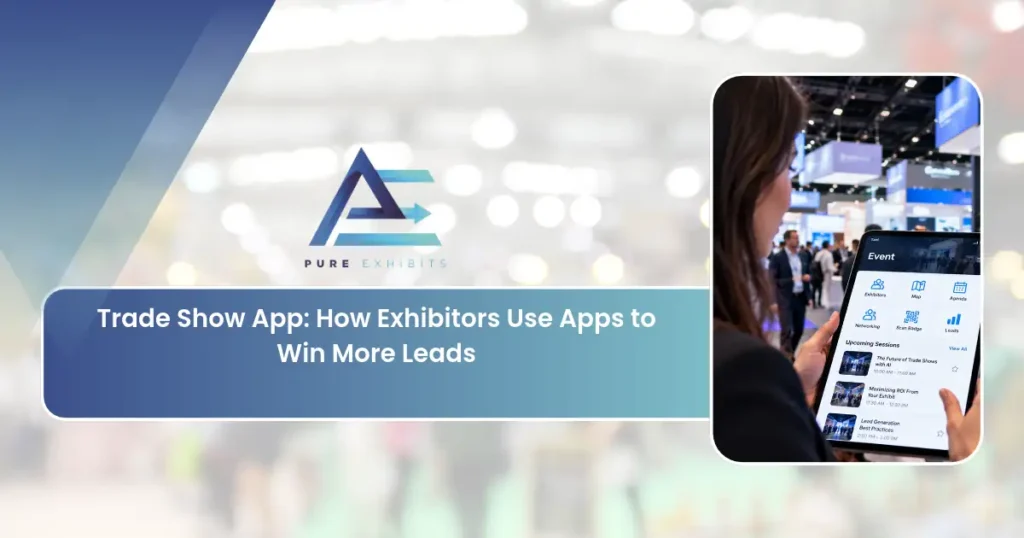
Search for a trade show app and nearly every result is written for event organizers: registration, agendas, push notifications, and virtual lobbies. If you are the one standing in a booth, that is not your decision. You need to know which app captures your leads, which one writes your orders, and how to build a booth where the devices actually work. This guide covers the exhibitor side of the trade show app question, including what your show already provides, what you should add, and how to plan the physical space around it.
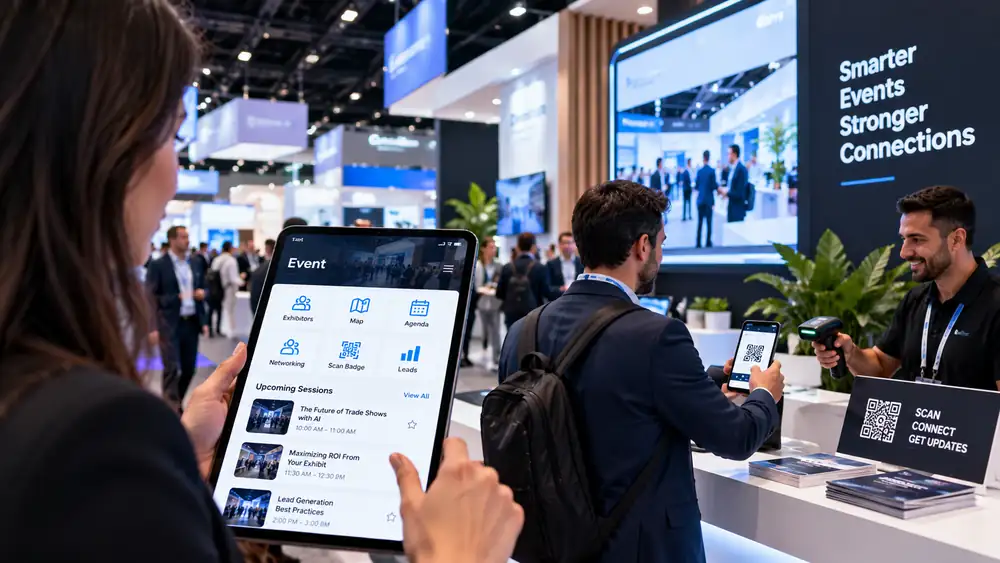
What is a Trade Show App?
-
A trade show app is mobile software used before and during an exhibition.
-
Attendees use it for schedules and maps.
-
Exhibitors use it to scan badges, record notes, and, at buying shows, write orders.
-
For an exhibitor, three categories matter: the show’s official event app, a lead capture app, and a trade show order-taking app.
-
Most exhibitors only choose the second and third, because the organizer picks the first.
5 Types of Trade Show Apps
-
Event apps: schedules, maps, and attendee networking
-
Lead-capture apps: scan badges and record qualifying details
-
Order-taking apps: write and process orders at the booth
-
CRM-integrated apps: sync leads directly to your pipeline
-
Meeting-scheduling apps: book and manage appointments
What the Show Gives You vs. What You Choose
Your exhibitor app from the organizer is required for attendees and also often helpful for you. Be sure to update your exhibitor profile, product listing, and meeting availability – buyers will be searching through that before visiting you at the event.
The lead retrieval process is not that simple. In most cases, it is an additional service offered by the organizer’s provider because the scanning machine uses the attendee’s badge. The rules and costs might differ, so please familiarize yourself with the exhibitor kit well in advance and be ready to place the order on time. If you prefer to have your own exhibitor app for your sales team, be sure to check if your app can read the badge format used at the event or if you still need to rely on the official lead retrieval software.
In case the lead information was collected, then the important questions will be about the handoff process. Will you be able to import into your CRM on the same day? Can your employees write a note or put a rating in just two clicks? Can a second device scan when the first battery dies?
Related: Trade Show Booth Design Trends for 2027
Trade Show Order Taking App: When It Pays Off
A trade show order taking app matters most at wholesale buying shows, where retailers place orders on the floor. Think apparel, gift, footwear, home, and coastal lifestyle markets. At these events, the booth is a sales counter, and paper order forms mean hours of re-keying after the show.
With an order-taking software application, the representative is able to go through the online catalogue of products with the purchaser, make an order, enter the price for that particular customer, and issue a confirmation. There are many vendors for this purpose. JOOR and NuORDER provide order-taking services specifically to fashion companies and wholesalers, while Orderwerks, WizOrder and showPRO cater to more general businesses.
Whatever you evaluate, require these basics:
-
Offline mode. Convention center networks are crowded. Orders must save locally and sync later.
-
Customer-specific pricing. Buyers on different tiers should see their own prices without a manual lookup.
-
Barcode or SKU speed. Fast entry matters when three buyers wait.
-
Draft and edit. Reps need to hold an order and revise it after a conversation.
-
Clean sync. Orders should land in your order system or ERP without re-entry.
-
Buyer confirmation. A signature or emailed summary prevents disputes later.
If your show is a buying event, our guide to Surf Expo shows how much of the booth layout changes when orders are written on the floor.
How to Choose a Trade Show Mobile App
Use a short scorecard for any trade show mobile app you consider, whether it captures leads or orders.
-
Learning curve. A new staffer should use it correctly after a ten-minute walkthrough.
-
Offline reliability. Test it in airplane mode, not just on office Wi-Fi.
-
Integrations. Confirm the export or sync with your CRM or order platform.
-
Device fit. Decide whether staff will use phones, tablets, or both, and check that screens suit the task.
-
Cost model. Compare a per-show fee with an annual plan against your real show calendar.
-
Data handling. Know where contact data is stored and who can export it.
Run a trial before the show, not at it. Our trade show technology guide covers hardware choices that pair with these tools.
Booth Design for App-Based Selling
This is the part competing guides skip entirely. An app only works if the booth gives it a place to work.
-
Power at every station. Tablets and scanners drain batteries in a busy day. Put charging within reach of every counter and plan outlets before the structure is built.
-
A real order surface. Give reps a counter or table at a comfortable height with room for a tablet, a buyer’s elbow, and a sample. A narrow ledge cramps the conversation.
-
Seating for longer orders. Large orders take time. A small seated area keeps buyers from drifting away mid-order.
-
Connectivity backup. Order a dedicated internet line if the show offers it, and keep a cellular hotspot as a fallback.
-
A scan point near the flow. Place the badge scanner where staff can reach visitors without blocking the aisle.
-
Visible QR codes. If you send visitors to a digital catalog or form, put the code at eye level on a clean surface, large enough to scan from arm’s length.
-
Secure device storage. Lockable storage keeps tablets safe overnight and during breaks.
These details are easiest to solve while the booth is still a design.
Apps handle the data; your booth creates the conversations. Our Custom Trade Show Booth Rentals are built to start the interactions your app then captures.
A Simple Staff Workflow
Assign roles so the tools do not slow the conversation.
-
Greeter: opens the conversation and asks one qualifying question.
-
Scanner: captures the badge and a one-line note while the conversation continues.
-
Seller: runs the demo or order, then confirms next steps before the visitor leaves.
Agree on a short set of tags, such as hot, warm, and follow-up later, so notes stay useful after the show. Vague notes like “interested” are the main reason leads go cold.
Read Also: Trade Show Booth Ideas: Design Examples That Draw Crowds
Two Weeks Before the Show
-
Install and log in to every app on every device.
-
Load your catalog, price tiers, and product images, and test one full order offline.
-
Scan a sample badge and export it to your CRM to confirm the format.
-
Pack chargers, a power strip, spare cables, and one backup device.
-
Print a one-page cheat sheet for staff and tape a copy inside the counter.
How Apps Improve Lead Capture
A lead-capture app replaces the fishbowl of business cards with structured, qualified data synced to your CRM. Combined with the tactics in our trade show lead generation strategies, it dramatically improves follow-up speed and accuracy.
Common Trade Show App Mistakes
-
Treating the organizer’s app as your whole plan. It helps buyers find you but does not generate or qualify leads for you.
-
Testing on office Wi-Fi. The show floor behaves differently.
-
Too many apps. Three tools for one job mean missing data and confused staff.
-
No charging plan. Dead devices are the most common failure on day two.
-
Skipping the follow-up plan. Speed matters, so decide who contacts which leads and when before the show starts.
Apps and Follow-Up
The real value of a trade show app is speed to follow-up. For shows in our market, our Las Vegas trade show booth rentals team builds the booth that feeds your app the conversations.
| App Type | Main Benefit |
|---|---|
| Event app | Navigation and networking |
| Lead capture | Structured, synced leads |
| Order taking | On-the-spot sales |
| CRM-integrated | Faster follow-up |
| Scheduling | Managed meetings |
Final Thoughts on Trade Show App
Getting a trade show app right is less about any single decision and more about a series of small ones made well. Plan early, choose experienced partners, and keep the details tight, and what feels overwhelming the first time becomes routine by the third or fourth show.
The details that matter most are usually a trade show order-taking app, a trade show mobile app, and an exhibitor app. Nail those, document how you did it, and you will have a playbook you can run at every future show with steadily better outcomes.
And patience pays off. The processes built through a trade show app this year will be made smoother, less expensive, and more productive for the next year, which is precisely why the best exhibitors take the time to do things correctly instead of starting from scratch each year.
More than anything, link the trade show app back to your results. The exhibitors that succeed are those that learn from what they accomplished during a trade show and apply that knowledge to their next event.
Adding Digital Tools to Your Booth? Get a Custom Quote Only at purexhibits.com
What to Look for in an Exhibit Partner
A lot depends upon whom you choose to work with. The right partner will not only construct a booth; they will think ahead, ensure that you stay on time, and accept full responsibility all the way from the planning stage to the end of the exhibition. Here are a few things to consider when choosing partners:
-
In-house design, building, and graphic arts rather than outsourcing
-
Portfolio of projects comparable to your own in terms of complexity and industry
-
Familiarity with the venue and its regulations
-
Transparent pricing with no mysterious lump sums
-
Rentals and customized booths with honest recommendations about what would work best for you
-
One person responsible for your entire project from start to finish
How Pure Exhibits Can Help
Pure Exhibits is a Las Vegas-based full-service exhibit house specializing in providing the design, construction, and management of trade show exhibits for companies throughout the country. In fact, from concept and design to construction, graphics, logistics, setup, and storage, an accountable group takes care of all the little things, so that you don’t have to.
The end result will be a booth that works, an experience that truly makes exhibiting easy, and pricing that makes sense. Being located in Las Vegas means we offer a true logistical edge in America’s most congested convention market, and being a nationwide company means we can help support your program in any city in which you exhibit.
-
Design, build, graphics, and trade show project management, all in-house
-
Custom and rental booths for every budget and show
-
Coordination and logistics for drayage and installation
-
One point of contact for the entire duration of the show
-
Storage, maintenance, and refurbishment between shows
-
Nationwide services with a Las Vegas logistics edge
Frequently Asked Questions
What is a trade show app?
Software exhibitors use for lead capture, order taking, meeting scheduling, and event navigation to run a more efficient booth.
What is a lead-capture app?
An app that scans attendee badges and records qualifying details, syncing structured leads to your CRM.
What is an order-taking app?
An app that lets staff write and process orders at the booth, including inventory checks and payments.
Why use a trade show app?
It replaces paper cards and forms with structured, trackable data, improving follow-up speed and accuracy.
Do trade show apps integrate with CRMs?
The best ones do, syncing leads directly into your sales pipeline for fast follow-up.
Do apps work without WiFi?
Choose an app that works offline, since show WiFi is often unreliable, and syncs when reconnected.
What is an event app?
The official show app with schedules, maps, and attendee networking features. Last-minute trade show booth rentals pair with app-based lead capture for better follow-up.
How do apps improve lead capture?
They capture qualified, structured data instantly and sync it to your CRM for immediate follow-up.
Are order-taking apps good for wholesale?
Yes, they let staff confirm orders on the spot, turning booth interest into sales.
How do I choose a trade show app?
Pick one that integrates with your CRM, works offline, captures the data you need, and is easy to use.
How do apps help with follow-up?
They deliver clean lead data immediately, enabling fast, personalized follow-up within 24–72 hours.
Can staff learn an app quickly?
Choose a simple app and train staff before the show so they use it confidently under pressure.
Do I still need a good booth with an app?
Yes, the booth creates the conversations; the app captures and organizes them. 20×20 trade show booth rentals suit exhibitors adding digital tools on a budget.
What data should I capture?
Contact details plus qualifying information like need, timeline, and next steps.
Who can build a booth for app-based selling?
Pure Exhibits designs booths with demo and order stations that feed your digital tools.