
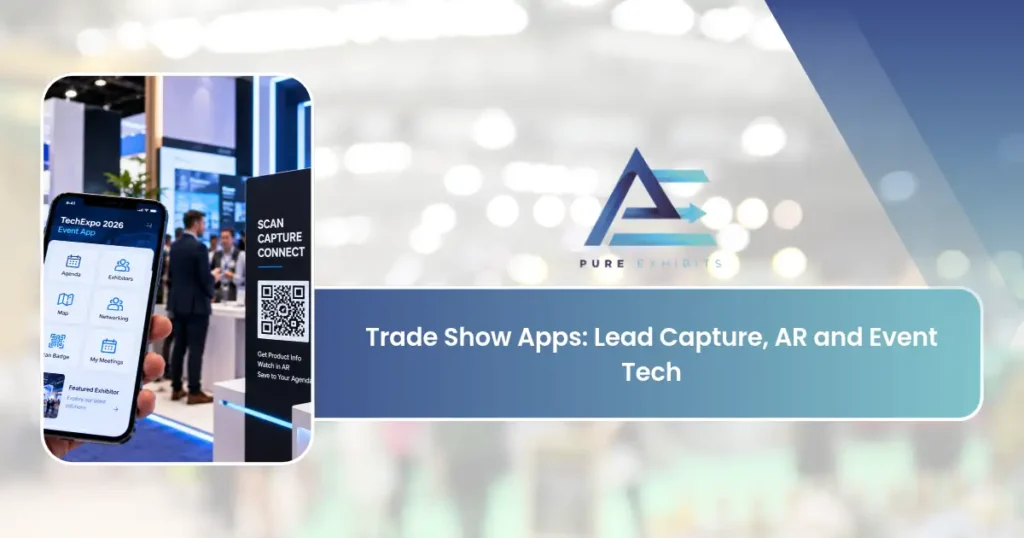
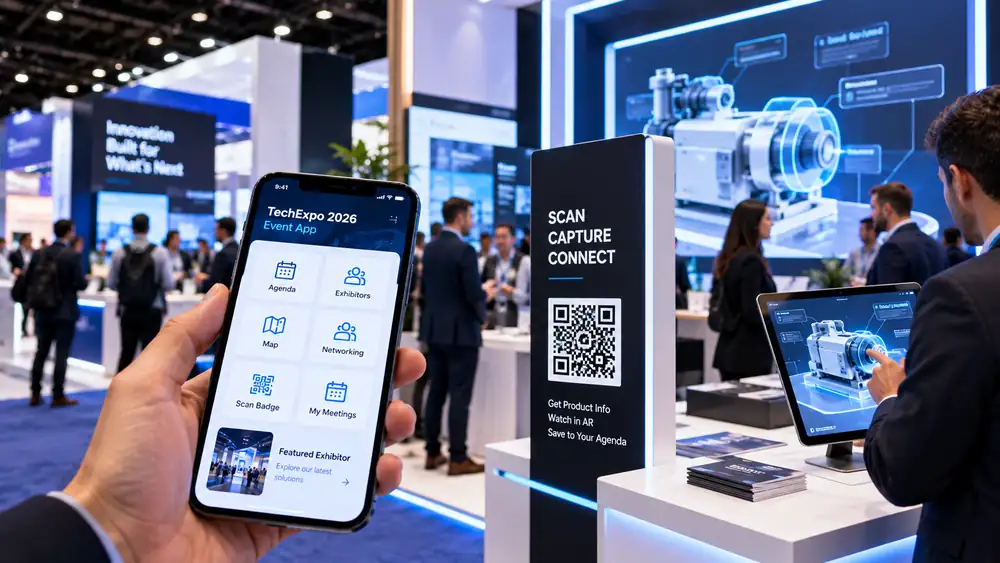
From being simply scheduling tools and maps, trade show apps have advanced to become tools that will help you capture leads, arrange meetings, and even provide an augmented reality experience with your products. The proper selection of trade show apps can significantly improve your booth’s appeal and post-show follow-ups. Let’s discuss trade show apps and their selection.
What Trade Show Apps Actually Do for Exhibitors
Not every app is yours to choose. That is the first thing most lists miss.
An organizer app is picked by the show. Attendees use it for agendas, maps, and messaging. As an exhibitor, you get whatever tools the show includes. For example, one organizer platform offers an exhibitor view with mobile badge scanning, lead export, and lead analytics. Ask your show what is included before you pay for anything extra.
A lead capture app is yours to choose. It lives on your team’s phones and works at any show. A booth tool, such as an AR viewer or a touchscreen catalog, is also your call. Keeping these three apart saves money and avoids confusion.
Types of Trade Show Apps
-
Event apps: schedules, maps, and networking
-
Lead-capture apps: scan badges and qualify visitors
-
Augmented reality apps: bring products to life
-
Meeting-scheduling apps: book appointments
-
CRM-integrated apps: sync leads to your pipeline
Explore our take on AI-generated booth concepts. Tell us what you want to run, and we will plan the booth around it.
Augmented Reality for Expos: Where It Earns Its Floor Space
Augmented reality for expos works best when your product is hard to bring. A large machine, a full product line, or a system that needs a factory floor can all be shown in 3D instead. Exhibit builder American Image describes examples from Accuray, which showed 3D models of radiation equipment, and Cisco, which used an interactive 3D catalog instead of shipping physical items. Those are vendor-reported cases, so treat them as ideas, not proof of results.
Attendees want this kind of experience. In Freeman’s research, 24% of attendees said they had no chance for hands-on contact with products. AR is one way to close that gap, but it is not the only one. A live demo can do the same job for less.
WebAR or an App: Pick the Lower Barrier
Many visitors will not download an app for a booth they may only visit once. WebAR runs in the phone’s browser, so a QR code is enough to start. An AR app needs a store download and storage space, which can lower adoption for one-time use. The trade-off is power. WebAR suits simple to moderate experiences, such as placing a 3D model, while apps handle complex scenes better.
For most booths, WebAR is the better first step. Use an app only when the experience truly needs the extra power.
Augmented Reality at Trade Shows
Augmented reality at trade shows fails more often from planning than from technology. Four details decide whether it works.
Placement
Put the AR point where a small group can stand without blocking the aisle. A clear QR code at eye level should be visible from the walkway. Our guide to how attendees move through a show floor explains why placement should follow traffic.
Lighting
Glare on a phone screen ruins an AR view. Check our booth lighting ideas and test the spot at the show’s lighting level.
Staff
AR starts the conversation. A person must finish it. Freeman found that 51% of attendees said access to a subject-matter expert improved their purchase certainty. Put an expert next to the AR point.
Connectivity
Even WebAR needs a data connection to load a 3D model. See the next section.
For more ways to turn attention into leads, read our guide to interactive booth ideas that generate leads.
A 10×20 trade show booth rental gives room for an AR demo station plus meetings.
Lead Capture and Follow-Up
For most exhibitors, lead capture is the app that earns its keep. One 2026 buyer’s guide sets six baseline functions: badge scanning, offline capture, custom qualification forms, CRM and marketing platform integration, multi-user management, and reporting. That is a useful filter. If an app misses one, keep looking.
Two details matter more than the feature list.
Offline capture
Halls are crowded, and mobile service can drop. An app that needs a live connection loses leads at the worst time. Test it in airplane mode before the show.
Qualification fields
A scan tells you who stopped. It does not tell you why. Add two or three fields your sales team will use, such as interest level and next step. Our guide to trade show lead generation strategies shows how to build that follow-up plan.
Pricing varies widely, and many vendors hide it. The same buyer’s guide lists one tool from $1 per attendee, another from $41 a month, and another from $8,000 a year, while most others quote only on request. Ask for a full quote, including per-user fees and any scanner rental.
Event Technology Apps: What Your Show Provides and What You Bring
Event technology apps from organizers often tie into the show’s registration system. That makes scanning easy, but it may not match your sales process.
Ask the show four questions:
-
Do exhibitors get free badge scanning, or is lead retrieval a paid add-on?
-
Can we export leads to our CRM, and in what format?
-
How many staff can scan on one license?
-
When do we receive the data after the show closes?
If the answers are weak, bring your own capture app. If they are strong, you may not need a second tool. Either way, train your team on one method before the doors open. Our guide to trade show staff training covers how to prepare a booth team.
Wi-Fi and Power: The Hidden Cost of Trade Show Apps
Apps run on the booth’s power and internet, and both are billed by the show. In our reference estimate for a 20×20 booth, internet runs about $2,230 and electrical about $1,320. Those are Pure Exhibits planning figures, not survey data.
Costs are also moving. An audit of 224 exhibitor rate cards across 23 US cities found electrical overtime labor up 41.2% from 2022 to 2025. Order power and internet early, and plan for a hardwired line for anything critical. Our guide to the trade show budget shows where these costs fit.
Apps handle the data and experiences; your booth creates the conversations. Our Custom Trade Show Booths are built to start the interactions your apps capture.
What the Data Says About Event Tech in 2026
Technology is now included in the mix of exhibiting methods. According to CEIR, 75 percent of exhibitors utilize digital marketing together with exhibitions. In the UFI survey conducted in June 2026, 91 percent of exhibition organizations employ AI in one way or another. Furthermore, in the Freeman survey conducted in July 2026, 64 percent of trade show participants wanted their learning experience to be away from session rooms, thus making the booth a classroom.
Beware of numbers that give promises of ROI of applications. Popular references often give numbers about ROI with no research mentioned at all. Do not rely on any numbers when no reference is provided.
A Seven-Step Checklist for Choosing Trade Show Apps
-
Set one goal. Leads, meetings, or product education. Pick the main one.
-
Ask the show what is included. Do this before you buy a second tool.
-
Test offline mode. Scan ten test badges in airplane mode.
-
Confirm CRM sync. Check that fields map correctly.
-
Add two qualification fields. Keep them short.
-
Order power and internet early. See our process guide.
-
Train the team. Run a ten-minute practice before doors open.
To tie these steps to results, use our guide to measuring trade show ROI.
Choosing the Right Apps
Choose apps that integrate with your CRM, work offline, capture the data you need, and are simple for staff to use. Test everything before the show, since connectivity is often unreliable.
See technology and demo-driven booths in our trade show booth case studies.
Apps and the Booth Together
Apps amplify a strong booth, not replace it. For shows in our market, our Las Vegas trade show rentals team builds the booth your digital tools need.
| App Type | Main Benefit |
|---|---|
| Event app | Navigation and networking |
| Lead capture | Structured, synced leads |
| AR app | Interactive product experiences |
| Scheduling | Managed meetings |
| CRM-integrated | Faster follow-up |
Final Thoughts on Trade Show Apps
At its core, trade show apps turn a high-stakes, deadline-driven event into a controlled, repeatable process. The companies that do this well are not the ones with the biggest budgets; they are the ones who plan early, communicate clearly, and lean on people who have done it many times before.
It helps to focus on the things that actually move results: augmented reality for expos, augmented reality at trade shows, and event technology apps. These are where exhibitors win or lose, so give them the attention they deserve instead of spreading effort too thin.
And remember that this builds up over time. You learn from each event, and exhibitors who debrief and improve after every single event reduce costs and increase gains until trade show apps become not a liability but a true asset.
Finally, don’t forget why you are doing all of this. Apps for trade shows are a means to an end – real conversation with real buyers. Every decision you make should be based on how it will help you establish these conversations, and you will always make the right decisions.
Exhibitors that deal with trade show apps in the best way possible have one common characteristic – they start planning early and work the details out. It’s the difference between a successful and profitable event and an expensive disaster. But you can do that no matter what budget and company you have.
So trade show apps are all about clarity and the right people. Have your objectives clear, spend your money on the right things, and let a professional team take care of the logistics part of it all.
Adding Apps and AR to Your Booth? Get a Quote at purexhibits.com
What to Look for in an Exhibit Partner
The result is greatly determined by the people that you partner with. An excellent exhibit partner does more than create an exhibit booth; they plan, ensure that everything is done as planned, and take full responsibility starting from the design process all the way through to tearing everything down after the event. As you go through the different exhibit partners, remember that the one giving the cheapest quote may not be your best partner.
-
Design, fabrication, and graphics done in-house.
-
Portfolio of exhibits built similar to yours
-
Experience in your venues of choice
-
Transparent, itemized pricing with no general lump sums
-
Rentals and custom exhibit options given based on needs
-
One person responsible throughout the whole process
Related: Las Vegas Medical Conferences & Healthcare Trade Shows (2027)
How Pure Exhibits Can Help
Pure Exhibits is a full-service exhibit house based out of Las Vegas and dedicated to designing, building, and managing trade show exhibits for businesses throughout the United States. One team manages all of the details for your exhibit from the initial concept and 3D design through fabrication, graphics, logistics, installation, and storage.
Whether you are looking for a smaller rental booth or a larger custom booth, the goal is the same: to provide an effective booth, a truly easy process, and understandable pricing. Our location in Las Vegas provides exhibitors a true logistics edge in the country’s busiest convention city, while our nationwide service allows us to meet your needs at any show in the country.
Frequently Asked Questions
What are trade show apps?
Software for lead capture, event navigation, meeting scheduling, and augmented reality experiences at your booth.
What is augmented reality for expos?
AR lets visitors visualize products, see inside machines, or experience scenarios through a phone or headset.
How does AR help at trade shows?
It turns complex or large products into interactive experiences that draw crowds and explain value.
What is a lead-capture app?
An app that scans badges and records qualifying details, syncing structured leads to your CRM.
Do trade show apps integrate with CRMs?
The best ones do, syncing leads directly into your pipeline for fast follow-up.
Do apps work offline?
Choose apps that work offline, since show connectivity is often unreliable, then sync later.
What is an event app?
The official show app with schedules, maps, and attendee networking features. Last-minute booth rentals pair with the app and AR tools for better engagement.
How do apps improve follow-up?
They deliver clean, structured lead data immediately for fast, personalized follow-up.
Is AR worth it for my booth?
It can be, especially for complex, large, or visual products that benefit from interactivity.
How do I choose trade show apps?
Pick apps that integrate with your CRM, work offline, capture the data you need, and are easy to use.
Can AR run on attendees’ phones?
Yes, many AR experiences run on standard smartphones without special hardware.
Do I still need a good booth with apps?
Yes, apps amplify a strong booth by capturing and enhancing the conversations it creates.
How do I train staff on apps?
Choose simple tools and train staff before the show so they use them confidently. 20×20 trade show booth rentals support exhibitors in adding digital tools affordably.
What data should lead apps capture?
Contact details plus qualifying information like need, timeline, and next steps.
Who can build a booth for app and AR selling?
Pure Exhibits designs booths with demo and AR stations that feed your digital tools.