
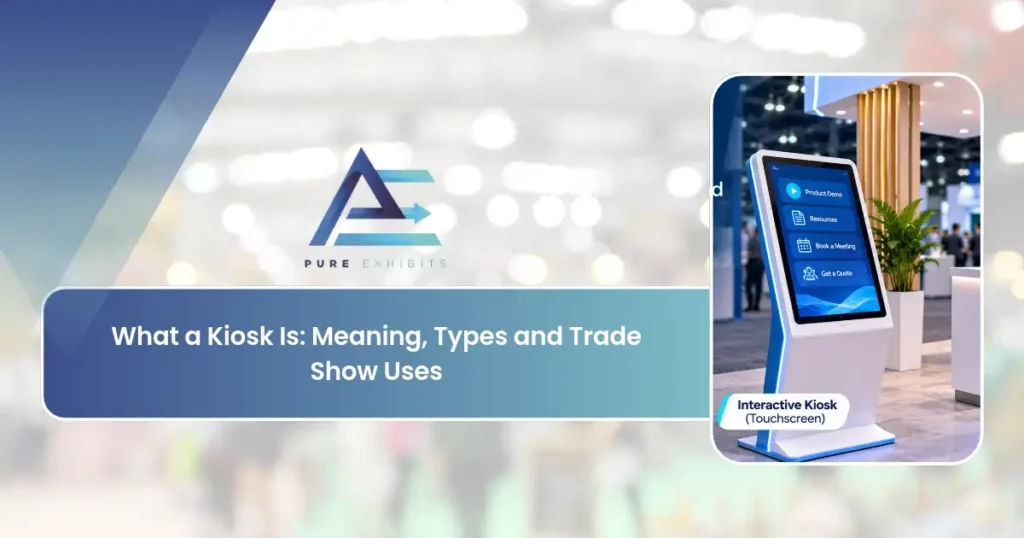
Ever wondered what a kiosk is? You have seen kiosks everywhere: in malls, airports, restaurants, and on trade show floors, but what a kiosk actually is depends on the context. At its core, a kiosk is a small, standalone structure or terminal that delivers information, sells products, or provides self-service. This guide explains what a kiosk is, the main types, and how kiosks are used at trade shows.
What a Kiosk Is: The Plain Meaning
-
A small, open-sided booth or stand used to sell goods or offer services, such as newspapers.
-
A free-standing computer terminal that gives information and services on a screen.
-
An open summerhouse or pavilion.
That list answers what the meaning of kiosk is at a glance. In daily life, you meet the first sense at a mall stall or street stand, and the second at an airport check-in screen or a restaurant ordering station. The third sense is the oldest and the rarest today.
What Are Kiosks? The Three Types in Practice
People who search what a kiosk is usually want a quick map of the types. Here it is.
| Type | What it is | Typical examples |
|---|---|---|
| Vendor kiosk | A small staffed stand | Newsstand, coffee stand, mall cart |
| Information kiosk | A stand or terminal that shares facts | Map stand, visitor guide |
| Self-service kiosk | A touchscreen machine with software | Check-in, ordering, ticketing, wayfinding |
Related: Technology Booth: How to Design a Tech Trade Show Exhibit
How a Self-Service Kiosk Works
A self-service kiosk has four parts.
-
A screen. Most use a touchscreen.
-
A locked-down program. Software limits the screen to one task, so visitors cannot open other apps. This is often called kiosk mode. Wikipedia notes that kiosk mode software blocks access to system functions.
-
Extra hardware. Some add a scanner, printer, card reader, or camera.
-
A connection. Many need power and a network link to load content or send data.
The same four parts apply whether the kiosk is in an airport or on a trade show floor. Knowing what a kiosk is on the inside helps you ask better questions when you compare options, and it matters for the next section.
What a Kiosk is at a Trade Show
At a trade show, a kiosk is a small display unit inside your booth. It is not the whole booth. Exhibitors use the word for two quite different things.
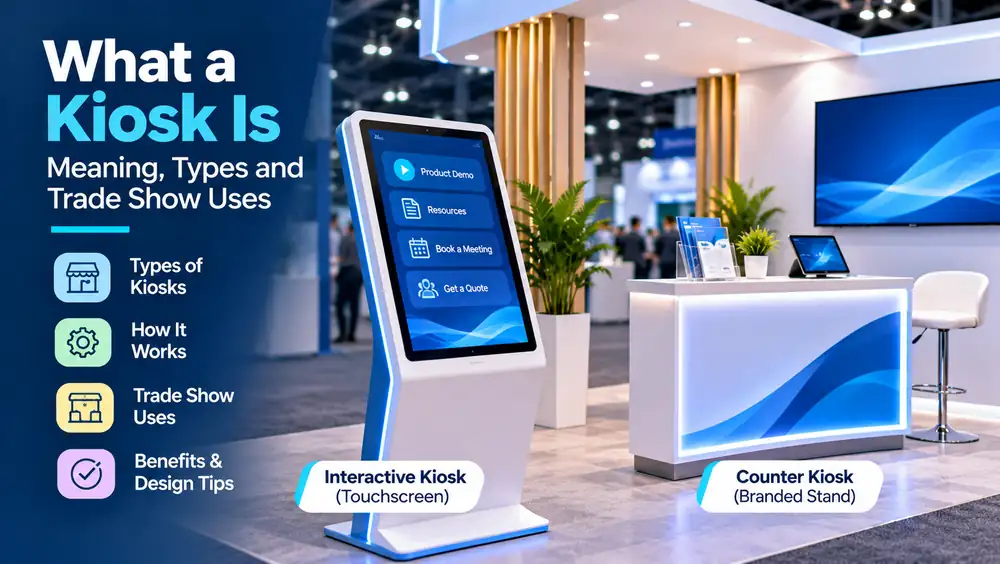
A counter kiosk
This is a branded stand or table with shelves for brochures or products. It supports a person-to-person conversation. Exhibits Northwest describes counters, touchscreen units, mounted tablet kiosks, and literature kiosks as common trade show formats.
An interactive kiosk
This is a screen, often touch, that runs a presentation, a product catalog, a quiz, or a lead form.
Knowing what a kiosk is at a show helps you plan the budget and the floor space. Which one you need depends on your goal. A counter kiosk helps your staff talk. An interactive kiosk helps visitors explore on their own and can capture contact details.
On a show floor, kiosks are compact, professionally designed stations, and our Custom Trade Show Booths often incorporate them for demos and lead capture.
Do You Need an Interactive Kiosk in Your Booth? Questions to Ask Before You Choose
Understanding what a kiosk is does not mean every booth needs one. Do not add one just because it looks modern. Ask these questions first.
| Question | If yes | If no |
|---|---|---|
| Is your product easier to show on a screen than in person? | An interactive kiosk can help | A live demo may be better |
| Will your staff be busy at peak times? | A self-serve screen can take pressure off | Staff can lead the conversation |
| Do you need leads from people you cannot speak to? | A lead form on the kiosk helps | Use badge scans |
| Is your content ready and tested? | Proceed | Build content first |
| Do you have power and data in the booth? | Proceed | Order services early |
Benefits of Kiosks
-
Kiosks are space-efficient, cost-effective, interactive, and flexible.
-
They work standalone or within a larger booth, and many ship and set up quickly.
See kiosks and booths together in our trade show booth case studies.
Kiosk Design Tips for Exhibitors
These are our recommendations, based on how booths work on a show floor.
-
Keep the task simple. One kiosk, one job. A visitor should know what to touch within a few seconds.
-
Make it easy to reach. Place the screen at a comfortable height, and leave room for someone using a wheelchair or a walker to approach. The U.S. Access Board has been working on accessibility guidelines for self-service kiosks. Its page shows an advance notice issued in September 2022 and no final rule, so follow current ADA practice and ask your show about its requirements (U.S. Access Board).
-
Plan the queue. Do not put the kiosk in the aisle. A line that blocks traffic hurts you and your neighbors. Our guide to how attendees move through a show floor explains why.
-
Light the screen. Glare ruins touchscreens. See our booth lighting ideas.
-
Order power and internet early. In our reference estimate for a 20×20 booth, internet runs about $2,230 and electrical about $1,320. Those are Pure Exhibits planning figures, not survey data (Pure Exhibits).
-
Put a person nearby. A kiosk starts a conversation. A staffer finishes it. Our staff training guide shows how to prepare your team.
Where Kiosks Fit in a Booth Layout
A kiosk works best as one zone in a plan. In our library of 20×20 designs, reception counters and demo stations appear in the layouts alongside seating and storage, and each design lists its own mix (Pure Exhibits). In a smaller space, a 10×10 exhibit rental can hold one counter and one screen. A larger 20×20 booth rental has room for several demo points. You can see built examples in our booth designs gallery.
Keep the message focused, use bold graphics and good lighting, and place interactive elements at a comfortable height. For shows in our market, our Las Vegas exhibit rentals team designs and builds custom kiosks.
| Kiosk Type | Common Setting |
|---|---|
| Informational | Malls, airports, events |
| Interactive/digital | Trade shows, retail |
| Self-service | Restaurants, airports |
| Retail/vending | Malls, transit hubs |
| Trade show | Exhibition halls |
Final Thoughts on What A Kiosk
Whether you handle it in-house or bring in a partner, what a kiosk rewards is preparation and experienced execution. The exhibitors who treat it as a repeatable process rather than a last-minute scramble consistently get better results for less money and less stress, because the hard parts are solved before they ever reach the show floor.
As you plan, keep the fundamentals in view: what is a kiosk, what is the meaning of kiosk, and what is meant by kiosk. Get those right, and the rest tends to fall into place, because most show-floor problems trace back to one of them being rushed or skipped.
Remember not just an individual event, but think of the cumulative effect of all the decisions you take concerning the nature of the kiosk across an entire year of multiple events. All of them, from your planning efforts, the people you collaborate with, and recording of success factors, will eventually amount to savings and a lot of hassle-free shows.
Finally, one aspect you should always keep in mind is that a booth itself should never be your aim but only a means to achieve something bigger, which is your business goals. Always ensure that your target is right at the forefront of your considerations while taking any decision regarding what a kiosk.
Need a Custom Kiosk? Get a Quote at purexhibits.com
What to Look for in an Exhibit Partner
A lot of the result depends on who you choose to do business with. The perfect trade show exhibit partner is someone who not only builds a booth, but also identifies potential pitfalls, keeps things running smoothly, and takes responsibility from day one, all the way to teardown. When choosing a partner, consider more than just the cheapest bid, and find one that offers capabilities, honesty, and trade show venue experience.
-
In-house design, production, and graphics services, not outsourcing
-
Portfolio featuring similar projects to your own
-
Experience working at your chosen venues and within their guidelines
-
Detailed, itemized pricing, no hidden lump sums
-
Rentals and custom exhibits, suggested for your needs
-
Single point of contact from concept to teardown
Read Also: Where the Booth Money Goes: What Our Fixed-Price Quotes Show.
How Pure Exhibits Can Help
Pure Exhibits is an all-in-one exhibit house based in Las Vegas, offering services in designing, building, and managing trade show exhibits. From 3D design right up until storing and refurbishing after the show, it is all taken care of by one responsible team, leaving you focused only on what you want to achieve at the show.
Whether it is a compact rental or a big custom-built island exhibit, it still remains the same goal: an exhibit that sells itself, a hassle-free experience, and understandable prices. Our base in Las Vegas offers a logistical benefit at the busiest show city in the country, while the nationwide availability allows us to help out with your program anywhere in the country.
-
Designing, building, and graphics offered all in one place
-
Rentals or custom exhibits available to fit any budget and show
-
Logistics, drayage coordination, and installations performed
-
One responsible person to deal with throughout the whole process
-
Storage and refurbishment offered between the shows
-
Nationwide service, with Las Vegas home market advantage
Frequently Asked Questions
What is a kiosk?
A small, standalone structure or terminal that delivers information, sells products, or provides self-service in a compact footprint.
What is the meaning of kiosk?
A self-contained booth or terminal, staffed or self-service, used to present information, promote a brand, or complete transactions.
What are the types of kiosks?
Informational, interactive/digital, self-service, retail/vending, and trade show kiosks.
What is a trade show kiosk?
A compact exhibit structure used to display a brand, run demos, or capture leads, standalone or within a larger booth.
What is an interactive kiosk?
A kiosk with a touchscreen and software that lets users browse information, view demos, or complete tasks.
What is a self-service kiosk?
A kiosk that lets users complete a task without staff, such as checking in, ordering, or paying.
How much does a trade show kiosk cost?
A basic kiosk can start around $1,500–$4,000; custom interactive kiosks run $5,000–$15,000+. Rush booth rental options can build a custom kiosk quickly.
How big is a kiosk?
Trade show kiosks range from a few square feet to a 5×5 or 10×10 footprint.
Are kiosks good for first-time exhibitors?
Yes, a kiosk is a budget-friendly way to establish a professional presence.
What is the difference between a kiosk and a booth?
A kiosk is a small, focused station; a booth is a larger exhibit with room for meetings and multiple zones.
Can a kiosk be part of a larger booth?
Yes, many booths incorporate kiosks as demo, lead-capture, or product-display stations.
What technology goes into a digital kiosk?
Touchscreens, media players, lead-capture software, and sometimes printers or payment terminals.
Can I rent a trade show kiosk?
Yes, kiosks are commonly rented standalone or as part of a booth package. 20×20 trade show booth rentals scale up when a kiosk grows into a booth.
How do I design an effective kiosk?
Keep the message focused, use bold graphics and lighting, and place interactive elements at a comfortable height.
Who can build a custom kiosk?
Pure Exhibits designs and builds custom trade show kiosks and exhibits with graphics and technology.